Straight to the night page
Open Capture Dream from a configured control.

A private dream journal
Capture a dream on a quiet night page. Add detail in the morning.
No prompts to answer. No title to think of. Just a dim, moonlit page for the words you still remember.
No account. No ads. No subscription.
There was a little boat in the glass garden. The water held every star.
A NOTEBOOK, NOT AN AUDIENCE
Open Capture Dream from a configured control.
Save text changes locally while you write offline.
Search your words and filter by tags.
Enable free Face ID lock with passcode fallback.
Review versions and recover deleted dreams.
Choose a local reminder with no dream text.
Export Markdown or a complete JSON backup for free.
Count tags, lucid streaks, and nights remembered.
A simple place to start
Use Capture Dream from your configured Lock Screen control or widget.
Write offline. Text changes save locally as you type.
Add a title, tags, or the details that come back to you.
IN THE APP
YOUR NOTEBOOK
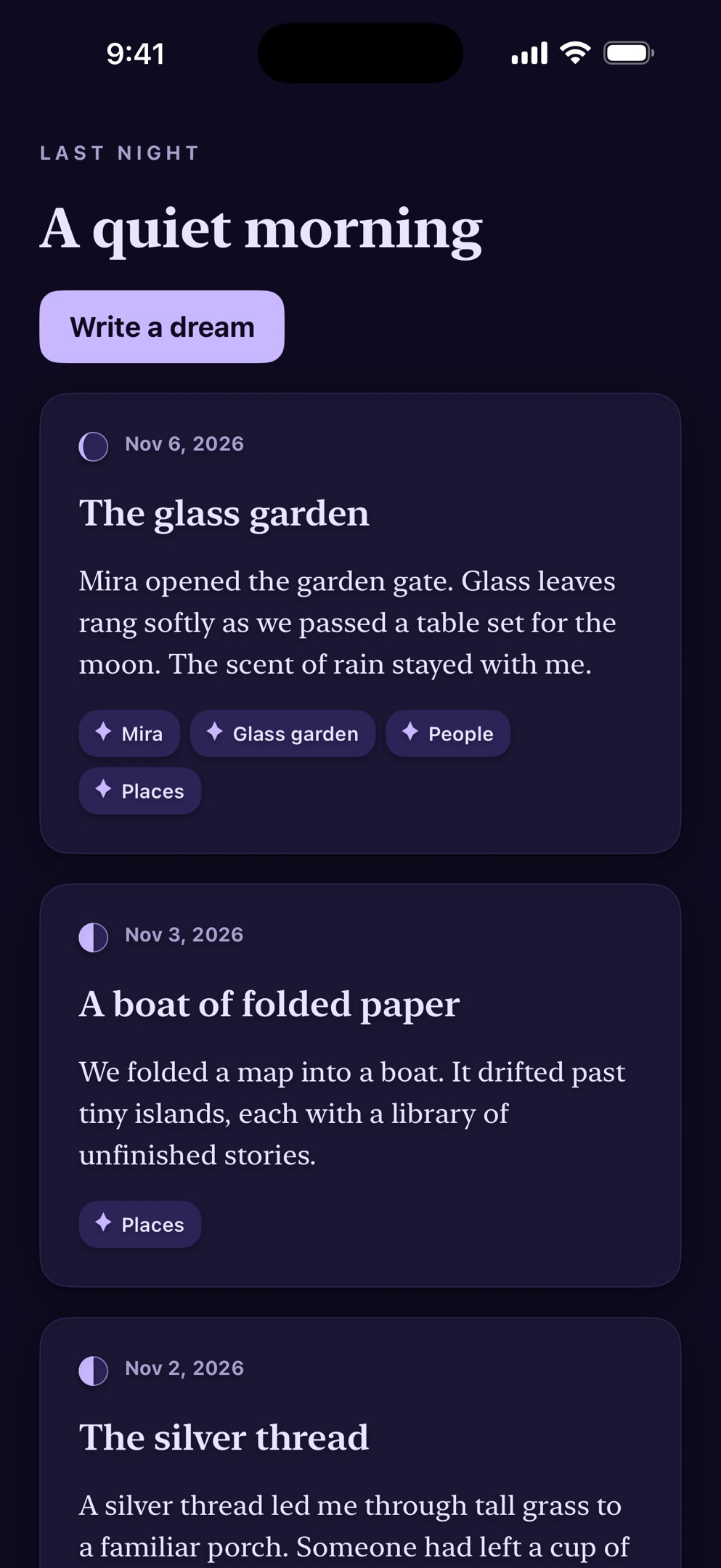
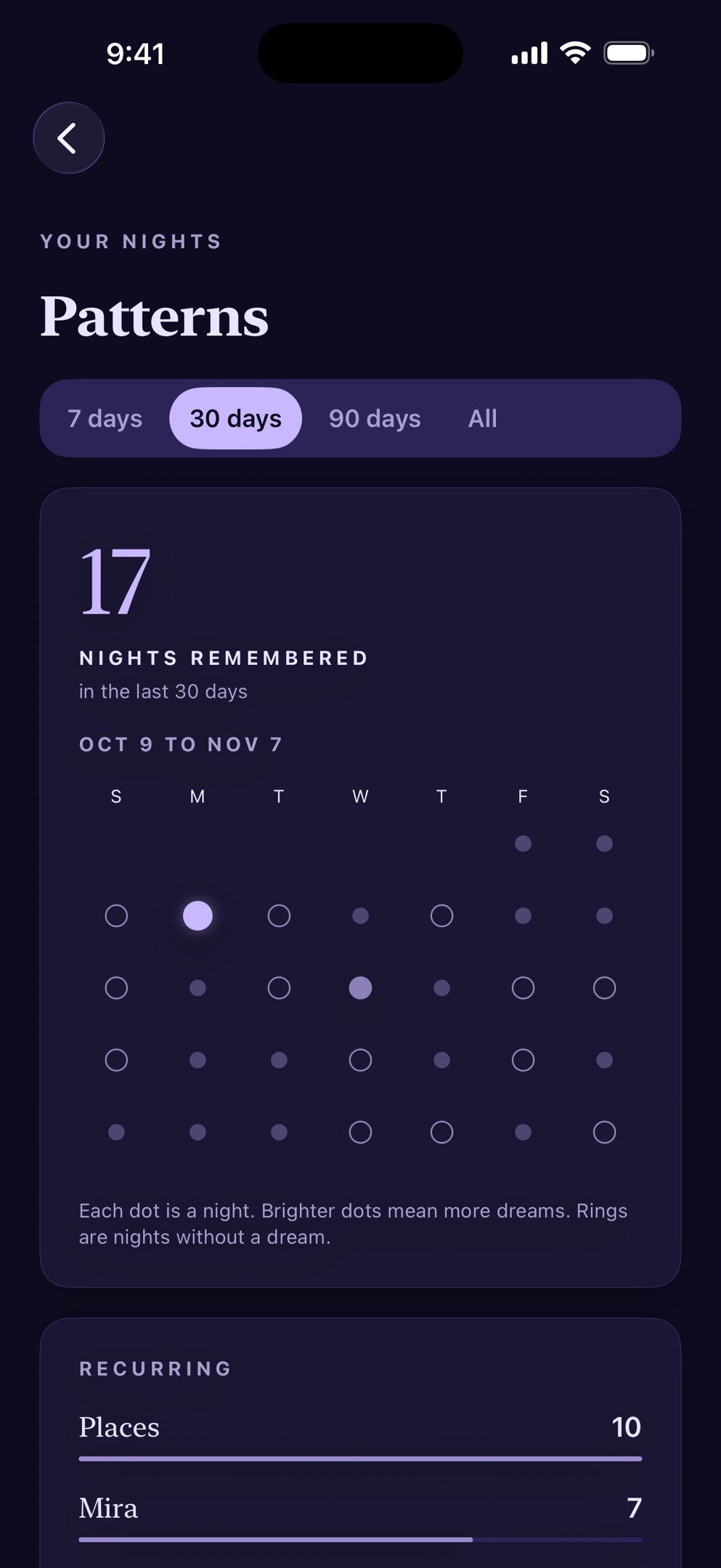
Browse your entries by month. Search your words and filter by tags. Completed entries can sync to your own private iCloud database. Unfinished drafts stay on the device until saved as entries.
Search, fixed tags, and iCloud sync included
PATTERNS · PRO
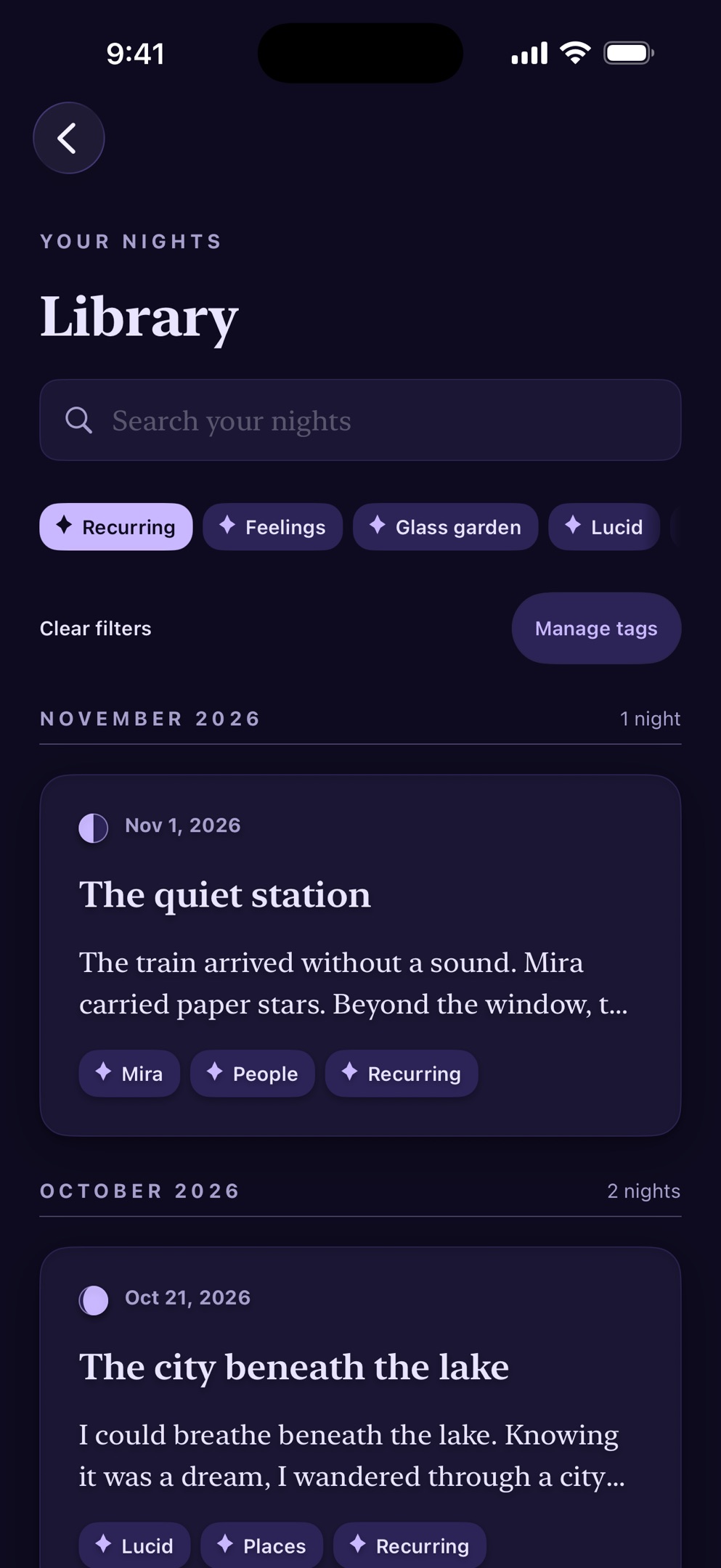
See recurring tags, people and places you have tagged, lucid streaks, and nights remembered. These are counts from your records. Moonleaf does not interpret dreams or teach lucid dreaming.
One-time Pro · Patterns, custom tags, Moss and Rose palettes
Private by design
No Moonleaf account, ads, analytics, or tracking. Enable the free Face ID app lock with device-passcode fallback. Export Markdown or a full JSON backup for free. Shared files remain readable outside the app lock.
Read the privacy policyiCloud sync can take time. Keep a separate export or backup outside your device.
Free to start. Yours to keep.
Included free
Moonleaf Pro
The purchase screen shows the current local price before you pay. No subscription.
Purchase termsA few useful answers
Set up Capture Dream on your Lock Screen, Control Center, widget, or Shortcuts. Supported iPhones can use the Action button. Device unlock and optional app lock still apply.
By default, the app icon opens capture from 10 p.m. to 10 a.m. Change the capture hours in Settings. An active draft stays open.
No. No AI reads your dreams. Pro Patterns shows counts from entries and tags, without interpreting their meaning.
No. App lock is free, with device-passcode fallback. It covers journal content when the app becomes inactive. It does not protect exported files.
Open Settings in the app and choose Restore purchases. Use the Apple Account that bought Pro and connect to the internet. Restoring Pro does not restore your records. See support for help.
Moonleaf for iPhone
Start free. Add Pro with one optional purchase.
Download on the App StoreOpens App Store search for Moonleaf.